How Proxy Handles Request Headers: A Developer’s Guide

A proxy server handles request headers by inspecting, modifying, adding, or removing them before forwarding the request to its destination. This process is not passive relay work. Proxies actively transform HTTP headers to enforce protocol compliance, preserve client metadata, and support security controls. Understanding how proxy handles request headers is foundational for any developer building or debugging systems behind a proxy layer. Key headers like “X-Forwarded-For, Via, and Host` are routinely injected or rewritten, and misunderstanding their behavior causes bugs that are notoriously hard to trace.
How proxies handle request headers: end-to-end vs. hop-by-hop
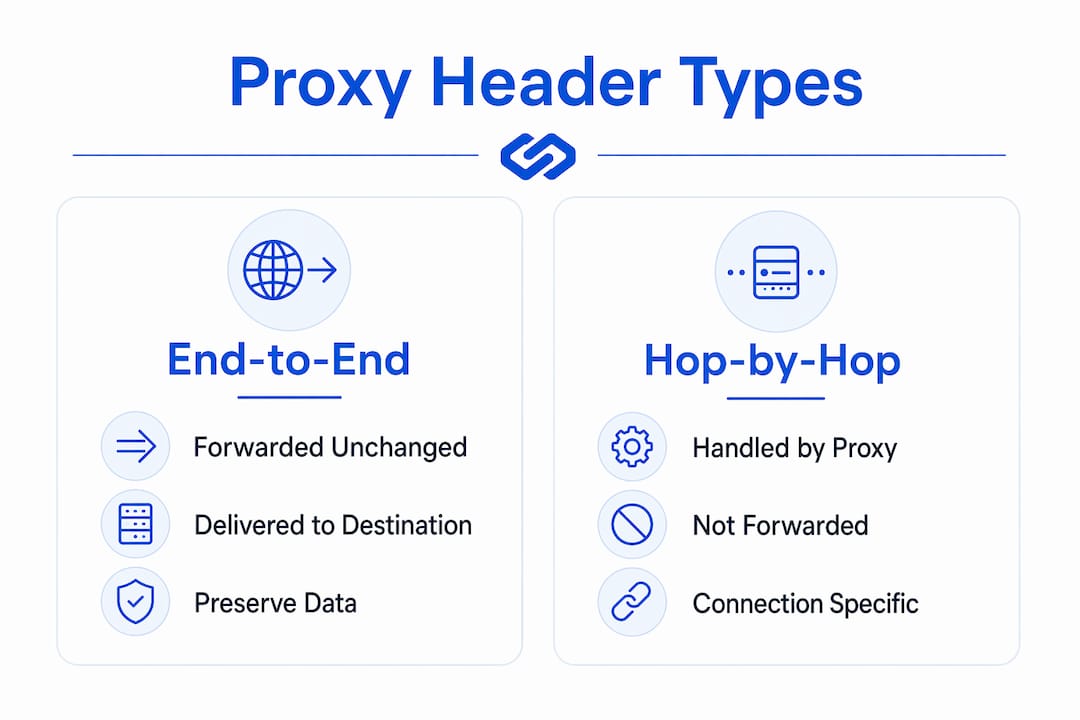
HTTP defines two categories of headers, and proxies treat them differently by design.
End-to-end headers are intended for the final recipient of the request. A proxy must forward them unchanged. Headers like Authorization, Content-Type, Accept, and Cache-Control fall into this category. If a proxy strips or rewrites them without a specific reason, it breaks the contract between the client and the origin server.
Hop-by-hop headers apply only to the immediate connection between two nodes. A proxy consumes them locally and must not forward them. The HTTP specification lists these as hop-by-hop:
ConnectionKeep-AliveProxy-AuthenticateProxy-AuthorizationTETrailersTransfer-EncodingUpgrade
Any header named inside the Connection header value is also treated as hop-by-hop for that specific connection. This is a subtle but critical rule. A client can dynamically declare additional headers as hop-by-hop by listing them in Connection, which has direct security implications covered in a later section.
Pro Tip: When debugging a proxy chain, print the full header set at both the proxy ingress and the upstream application. The diff between the two reveals exactly which headers the proxy consumed, added, or rewrote.
Which headers do proxies add, modify, or strip?
HTTP proxies inject headers to preserve metadata that would otherwise be lost when the proxy establishes a new connection to the upstream server. The table below covers the most common headers involved in proxy request handling.

| Header | Action | Purpose |
|---|---|---|
X-Forwarded-For |
Added or appended | Preserves the original client IP address |
X-Forwarded-Proto |
Added | Records the original request scheme (HTTP or HTTPS) |
X-Forwarded-Host |
Added | Preserves the original Host header value |
Via |
Appended | Tracks each proxy hop in the request chain |
Host |
Rewritten (reverse proxies) | Replaced with the upstream server’s hostname |
Upgrade / Connection |
Consumed or rewritten | Manages WebSocket and protocol upgrade negotiation |
X-Request-Start / Trace-ID |
Injected | Supports distributed tracing and observability |
X-Forwarded-For and client IP preservation
When a proxy opens a new TCP connection to the upstream server, the original client IP is lost. The proxy adds X-Forwarded-For: <client-ip> to carry that information forward. In a chain of proxies, each one appends its own IP, producing a comma-separated list. Backend applications reading this header must account for the list format and trust only the leftmost value that was not added by an untrusted node.
Via header and loop detection
Each proxy appends an entry to the Via header, such as 1.1 edge_proxy, before forwarding the request. This creates a traceable record of every intermediary the request passed through. The Via header also serves as a loop detection mechanism: if a proxy sees its own identifier already present in Via, it knows the request has looped and can reject it.
Host header rewriting in reverse proxies
Forwarding the client’s Host header to an upstream server typically causes 404 or 403 errors because the upstream expects its own hostname, not the public-facing domain. Reverse proxies like Nginx rewrite the Host header to the internal upstream address. Dynamic host substitution using variables such as $proxy_host or $upstream_addr makes this accurate across virtual hosting configurations.
X-Forwarded-Proto and TLS termination
When a proxy terminates TLS and forwards the request over plain HTTP to the backend, the backend has no way to know the original request was HTTPS unless the proxy sets X-Forwarded-Proto: https. This header directly affects URL generation, secure cookie flags, OAuth redirect URIs, and HTTPS redirect logic. Getting it wrong produces redirect loops or broken authentication flows.
Pro Tip: In Nginx, set proxy_set_header X-Forwarded-Proto $scheme; explicitly. Do not rely on the upstream application to infer the scheme from port numbers alone.
How proxies prevent header spoofing and injection attacks
Proxy header manipulation creates a specific class of security risk: a malicious client can craft headers that interfere with what the proxy injects, or exploit the Connection header to strip proxy-added headers before they reach the upstream server.
A documented vulnerability in proxy implementations shows that clients can list headers in the Connection field to signal that those headers should be removed from the forwarded request. If a proxy injects X-Forwarded-For and then processes the client’s Connection header afterward, the client can effectively strip the injected header. The correct processing order is:
- Read and strip all headers listed in the client’s
Connectionheader. - Remove the
Connectionheader itself. - Inject proxy-controlled headers such as
X-Forwarded-For,Via, andX-Forwarded-Proto. - Forward the sanitized and enriched request to the upstream server.
Following this order prevents a client from using Connection to remove headers the proxy added in step 3. Proxies should also sanitize incoming X-Forwarded-For values. If a client sends a forged X-Forwarded-For header before the proxy appends its own, the backend may trust a fabricated IP. The safest approach is to overwrite rather than append when the request enters a trusted network boundary.
Pro Tip: Never trust X-Forwarded-For values from requests that arrive at your origin server directly from the internet. Only trust them when the request arrives through a known, controlled proxy layer.
Proxies like Envoy provide granular header manipulation at different routing layers, allowing teams to enforce header policies consistently across services without relying on individual application code.
Practical implications for developers debugging proxy header behavior
Developers often assume proxies forward client headers unchanged. That assumption causes a predictable set of bugs. Here is where proxy header behavior most commonly breaks application logic:
-
Redirect loops: A backend application generates an HTTP redirect because it sees the request as HTTP, not knowing the proxy already handled HTTPS termination. The fix is reading
X-Forwarded-Protoand configuring the application’s trusted proxy settings accordingly. Frameworks like Django, Rails, and Express all have explicit settings for this. -
Authentication failures: OAuth and SAML flows that construct callback URLs from the
Hostheader will produce mismatched redirect URIs if the proxy rewritesHostwithout also settingX-Forwarded-Host. The application needs both values to reconstruct the original URL correctly. -
Logging gaps: Backend access logs record the proxy’s IP, not the client’s IP. Without reading
X-Forwarded-For, rate limiting, geo-blocking, and audit logs all operate on the wrong address. This is a common source of incorrect security analytics. -
Distributed tracing breaks: Proxy header injection of trace IDs and timestamps creates an audit trail across multiple hops. If one proxy in the chain strips
Trace-IDorX-Request-Start, the trace becomes incomplete and debugging distributed microservices becomes significantly harder.
To inspect what headers actually arrive at your upstream application, deploy a simple echo server behind the proxy. Tools like httpbin, RequestBin, or a minimal Express endpoint that returns req.headers as JSON give you a precise view of what the proxy forwarded. Compare that output against what the client sent to identify every transformation the proxy applied.
HTTP proxies differ from SOCKS proxies in one fundamental way: SOCKS proxies operate at the transport layer and cannot read or modify HTTP headers at all. If your use case requires header-based routing, security filtering, or metadata injection, an HTTP or HTTPS proxy is the only viable option.
Pro Tip: When configuring a reverse proxy in front of a Node.js or Python application, set the trusted proxy count explicitly. In Express, app.set('trust proxy', 1) tells the framework to read X-Forwarded-For from one trusted proxy hop. Setting it too high exposes you to IP spoofing.
Key takeaways
Proxies transform request headers in specific, protocol-defined ways, and backend applications must be configured to read those transformed headers correctly or they will misroute requests, misidentify clients, and break authentication flows.
| Point | Details |
|---|---|
| End-to-end vs. hop-by-hop | End-to-end headers must be forwarded unchanged; hop-by-hop headers are consumed and removed by each proxy. |
| X-Forwarded-For accuracy | Proxies append the client IP to preserve identity, but backends must sanitize this header at trusted network boundaries. |
| Host header rewriting | Reverse proxies replace the client Host header with the upstream hostname to prevent 404 and 403 routing errors. |
| Connection header security | Proxies must strip client-declared hop-by-hop headers before injecting their own to prevent header stripping attacks. |
| Observability via injected headers | Headers like Trace-ID and X-Request-Start, injected by proxies, are the primary mechanism for distributed request tracing. |
Why most proxy header bugs are configuration problems, not code problems
After working with proxy architectures across dozens of web applications, the pattern I see most often is this: developers write correct application code, then deploy it behind a proxy without updating a single configuration value. The application breaks in production, and the debugging process starts from the wrong end.
The most common misconception is that a proxy is transparent. It is not. Upstream applications receive transformed headers, not the original client headers. Every framework that handles redirects, generates absolute URLs, or enforces HTTPS has a proxy trust setting that defaults to off or to a single hop. That default is correct for direct internet traffic and wrong for anything behind a load balancer or reverse proxy.
Cloud-native architectures make this more complex, not less. In a Kubernetes cluster with an ingress controller, a service mesh like Istio or Linkerd, and an external CDN, a single request may pass through four or five proxy layers. Each one potentially modifies headers. The Via header is supposed to document this chain, but many proxies are misconfigured to omit it. You end up with a backend application that has no reliable way to reconstruct the original request context unless every proxy in the chain is explicitly configured to pass the right headers.
My advice: treat header behavior as a first-class concern in your staging environment. Write integration tests that assert specific header values at the application layer, not just at the proxy. If your staging environment does not replicate the full proxy chain from production, those tests will not catch the bugs that matter.
— Eduard
Get reliable proxy infrastructure with correct header handling
Proxy header management is only as reliable as the infrastructure behind it. Hydraproxy provides residential, mobile, and ISP proxy networks built for developers who need consistent, correctly configured header forwarding across every request.

Hydraproxy’s residential proxy network delivers real user-like traffic with proper X-Forwarded-For and Via header behavior, making it suitable for web scraping, ad verification, and geo-targeted testing where header authenticity matters. For teams working with IP rotation and session control, Hydraproxy supports both rotating and sticky sessions with multiple authentication methods. Explore Hydraproxy’s full proxy catalog to find the right solution for your header-sensitive use case.
FAQ
What does a proxy do to request headers?
A proxy inspects, modifies, adds, or removes HTTP request headers before forwarding the request upstream. Common actions include injecting X-Forwarded-For, appending to Via, rewriting Host, and stripping hop-by-hop headers like Connection and Keep-Alive.
What is the difference between end-to-end and hop-by-hop headers?
End-to-end headers must be forwarded unchanged to the final destination, while hop-by-hop headers apply only to the immediate connection and are consumed and removed by each proxy in the chain.
Why does X-Forwarded-For matter for backend applications?
X-Forwarded-For carries the original client IP address after a proxy replaces it with its own IP in the TCP connection. Without reading this header, backend applications log the proxy’s IP instead of the client’s, which breaks rate limiting, geo-blocking, and security auditing.
Can a client manipulate proxy-injected headers?
Yes. A documented security vulnerability shows that clients can list headers in the Connection field to strip them from the forwarded request. Proxies must process and remove client-declared hop-by-hop headers before injecting their own controlled headers.
Do SOCKS proxies handle request headers the same way HTTP proxies do?
No. SOCKS proxies operate at the transport layer and cannot read or modify HTTP headers. Only HTTP and HTTPS proxies have the application-layer visibility needed for header inspection, injection, and security filtering.