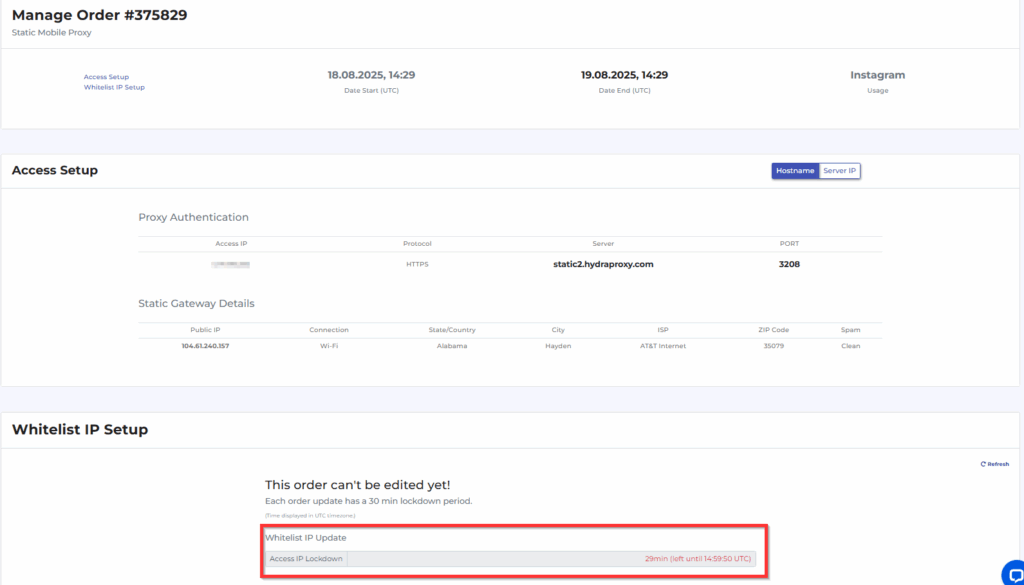
A static proxy has a fixed IP for 24h and costs $3/IP for 24h access. You can buy and filter a static proxy based on city or ZIP. If you want to check our current list of static proxy IPs, please create an account at app.hydraproxy.com and visit these links: – For USA: https://app.hydraproxy.com/select-static-region/geo=USA/ – For International: https://app.hydraproxy.com/select-static-region/geo=INTL/
a. First you need to click on “Static” button and select if you need USA Static Proxy or International Static proxy
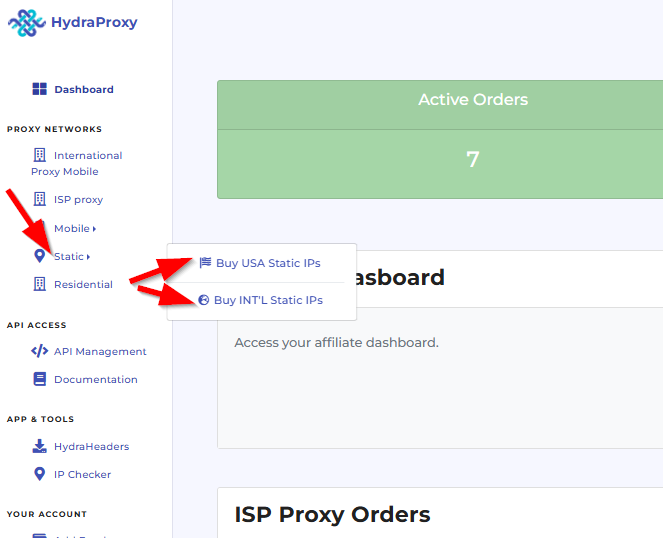
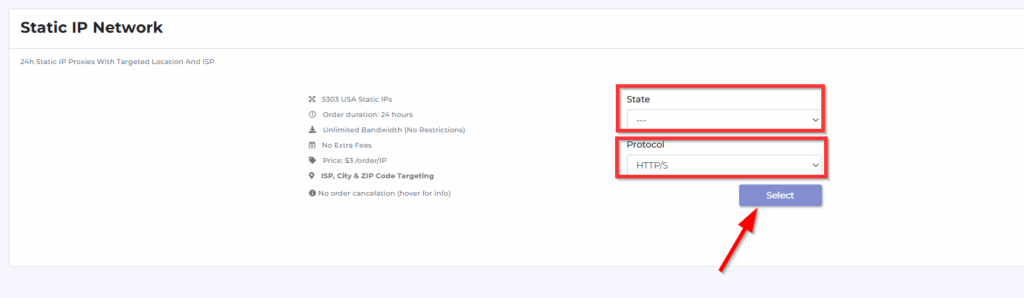
b. If you need USA Static proxy clicn on “Buy USA Static IPs” and you will be displayed with a form where you can select the US state and the proxy protocol. After making this selection click on the “Select” button
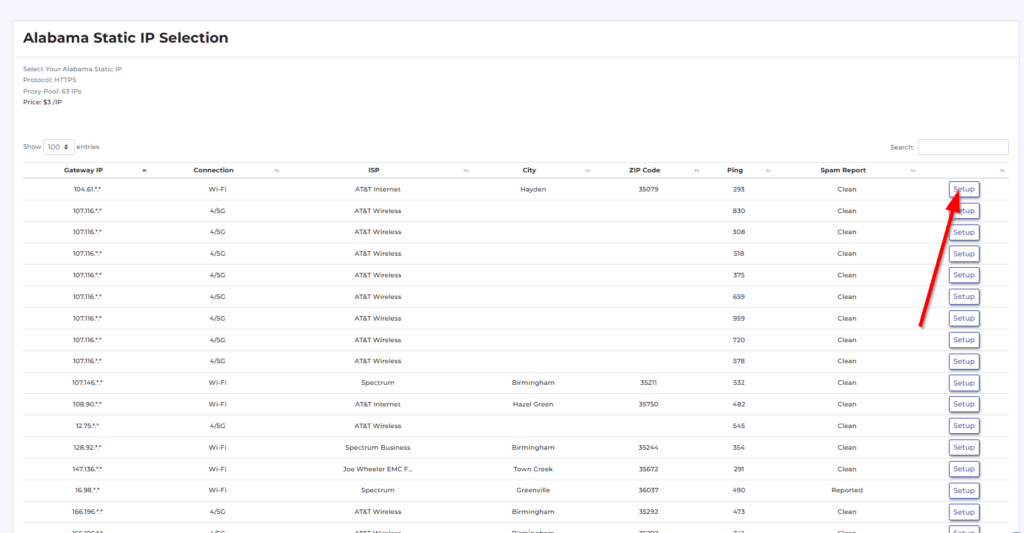
c. After that, the available proxy list will appear and you can select it with a specific city/ISP/ZIP and also IP range. We also recommend selectig the proxy with a low ping also. A proxy ping response is the data a proxy server returns when it’s pinged. It confirms connectivity and may include latency, server status, or metadata (like MOTD or player count in games). Essentially, it shows that the proxy is reachable and relays basic information back.
After you made the decision click on the “Setup” button to proceed.
d. A new window will appear requesting you to insert the Whitelisted IP and also a few word on how you are planning to use the proxy (this has relevance for us only)
The whitelist IP address is the IP address used for authenticating your network requests and controlling the access to your proxy port. Please insert the IP address of the device from where you will connect to your proxy (your server or PC). You can find IP address of your device by visiting the IP checker page: https://app.hydraproxy.com/ip-check/ Once your order is active, you can update the whitelisted IP at every 30min.
The usage field and text should be filled with a couple of words on how you plan on using your proxy order (eg: scraping, social media, smm, account login, research, etc). It is a text of two-to-three words that will help you identify your proxy order (you can consider it your order’s name).
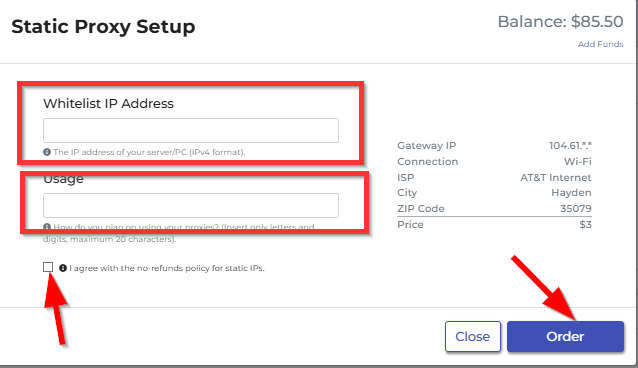
Then you need to check the box below the input fields and click on order
e. To order International Static proxy just click on “Buy INTL Static IPs” and repeat the steps mentioned above as the proces is simmilar.
f. After placing the order you can check the proxy settings by checking the Static Proxy Orders card and clicking on the “Manage access” button

g. Here you can check the proxy details, validity and also update the whitelisted IP if this is needed