Residential vs Datacenter Proxy: Which One Do You Need?

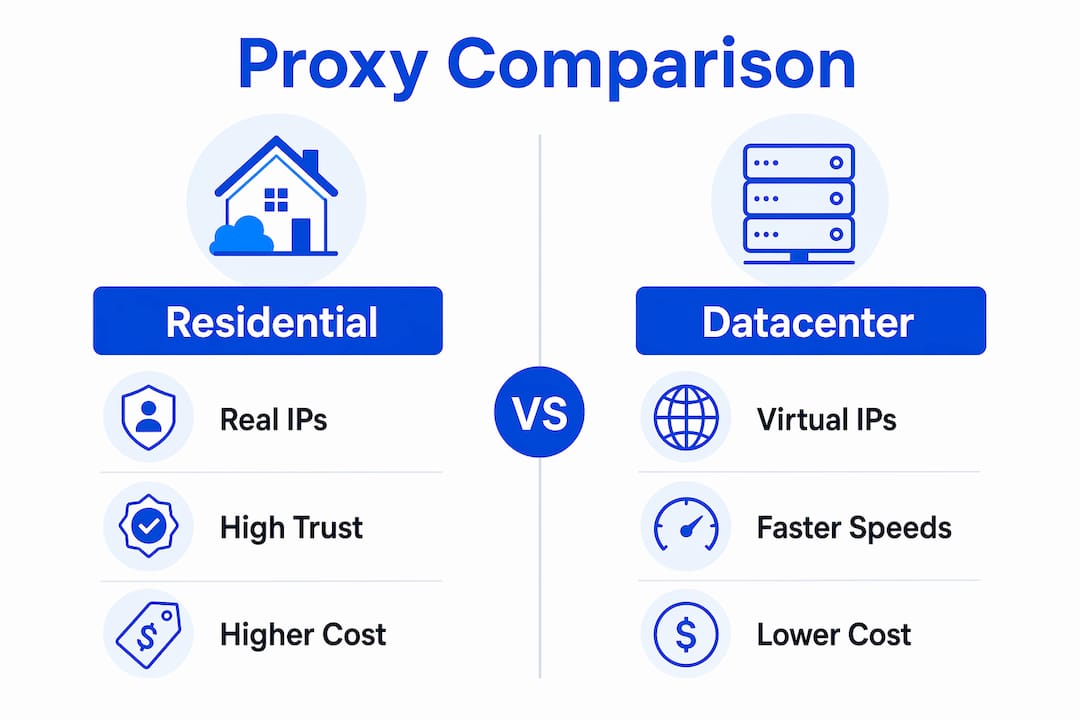
A residential proxy uses IPs assigned by consumer ISPs to real home addresses, while a datacenter proxy uses IPs from commercial server farms or cloud providers. That single difference in IP origin determines how websites classify your traffic, how often you get blocked, and how much you pay per request. The residential vs datacenter proxy decision shapes the outcome of every scraping job, ad verification run, and geo-targeting test you run. Providers like Bright Data, Oxylabs, and Smartproxy have built entire product lines around this distinction because the wrong proxy type for a given target can waste budget or kill a project entirely.
How residential and datacenter proxies differ technically
The core technical distinction comes down to ASN origin and IP classification. Residential IPs carry ASNs registered to consumer ISPs like Comcast or AT&T. Datacenter IPs carry ASNs registered to hosting providers like Amazon Web Services or DigitalOcean. Anti-bot systems check ASN reputation before any fingerprinting or behavior analysis runs, so a datacenter IP can be flagged and blocked before your request even reaches the application layer.
The performance gap between the two types is measurable. Benchmarking across 2.3 million requests shows datacenter proxies achieve a 94.2% success rate on easy targets but drop to 31.7% on heavily protected sites. Residential proxies hold a 92.4% success rate across both categories. Detection rates tell the same story: datacenter proxies are flagged 42% of the time, compared to just 3.8% for residential proxies. That gap is not marginal. It determines whether a scraping pipeline runs reliably or fails constantly.

Speed and cost run in the opposite direction. Datacenter proxies average 180ms response times versus 420ms for residential proxies. On cost per 1,000 requests, datacenter proxies run $0.10 to $0.50 while residential proxies cost $1.50 to $8.00. Pool sizes also differ significantly: datacenter pools typically hold 10,000 to 50,000 IPs, while residential pools range from 10 million to 50 million IPs. Larger pools reduce the chance of IP reuse and detection.
| Factor | Datacenter proxies | Residential proxies |
|---|---|---|
| IP source | Hosting/cloud ASNs | Consumer ISP ASNs |
| Success rate (hard sites) | 31.7% | 92.4% |
| Detection rate | 42% | 3.8% |
| Response time | 180ms | 420ms |
| Cost per 1K requests | $0.10–$0.50 | $1.50–$8.00 |
| Typical pool size | 10K–50K IPs | 10M–50M IPs |
Pro Tip: Check whether your target site uses Cloudflare, Akamai, or PerimeterX. These platforms publish datacenter ASN blocklists publicly, meaning datacenter proxies are blocked at the network edge before your scraper runs a single line of code.
When residential proxies are the right choice
Residential proxies are the correct tool when your target site uses strong anti-bot protection, requires geographic fidelity, or involves multi-step authenticated workflows. The consumer-like network footprint of a residential IP, including matching timezone, language settings, and regional attributes, passes bot detection checks that immediately reject datacenter traffic. This matters most in the following scenarios:
- Ad verification: Confirming that ads display correctly in specific cities or countries requires IPs that local ISPs actually assign to residents in those areas. Datacenter IPs often receive different ad content or no content at all.
- Geo-targeted scraping: Accessing localized pricing, product availability, or content restrictions at the country, state, or city level requires IPs that websites treat as genuine local users.
- Brand protection: Monitoring unauthorized use of trademarks or copyrighted content across regional platforms requires consistent, trusted access that residential IPs provide.
- Login-required targets: Sites with account-based workflows, shopping carts, or multi-page forms trigger extra verification challenges when they detect IP rotation from datacenter ranges.
- Session continuity: Sticky session management with residential proxies prevents session resets during multi-step navigation, which is critical for tasks like travel fare aggregation or checkout flow testing.
Rotation strategy matters as much as proxy type. For stateless page sampling, rotating residential IPs on each request works well. For workflows that involve forms, pagination, or cart interactions, sticky sessions that hold the same IP for the duration of a session are necessary. Mixing these strategies incorrectly causes session drops and forces re-authentication, which wastes requests and flags your traffic.
The advantages of residential proxies for data quality are significant for businesses running market research or content localization checks. A residential IP in São Paulo returns the same page a local consumer sees. A datacenter IP in the same city may return a generic or blocked response. For geo-targeted marketing verification, that difference directly affects the accuracy of your data.
Pro Tip: When scraping e-commerce sites for pricing data, use city-level residential IP targeting rather than country-level. Prices and promotions often vary by metro area, and country-level targeting can average out differences that matter for competitive analysis.
When datacenter proxies give you the advantage
Datacenter proxies are the right choice when your target has minimal bot protection, your request volume is high, and your budget is limited. Predictable performance and low cost make them practical for operations where detection risk is acceptable or manageable. The following use cases favor datacenter proxies:
- High-volume scraping on permissive sites: Public data sources, government databases, and open APIs rarely deploy anti-bot systems. Datacenter proxies handle these targets at scale for a fraction of the cost of residential alternatives.
- API testing and development environments: QA teams testing their own APIs or staging environments need fast, reliable connections. Datacenter proxies provide consistent low-latency access without the overhead of residential IP management.
- SEO rank tracking on cooperative search engines: Tracking keyword positions across regions on search engines that do not aggressively block datacenter traffic is a common and cost-effective datacenter proxy use case.
- Price monitoring on retailer sites with light protection: Many mid-tier e-commerce sites do not deploy enterprise-grade bot management. Datacenter proxies can scrape these targets reliably at high speed.
- Load testing and performance benchmarking: Simulating concurrent user traffic from multiple geographic locations for infrastructure testing works well with datacenter proxies, where speed and volume matter more than appearing as a real consumer.
The cost advantage compounds at scale. A project requiring 10 million requests per month costs $1,000 to $5,000 with datacenter proxies. The same volume with residential proxies costs $15,000 to $80,000. For teams running continuous monitoring pipelines on permissive targets, that difference funds additional infrastructure or headcount.
Hybrid proxy strategies that route requests through datacenter proxies first and fall back to residential proxies when blocked represent the most cost-efficient architecture for mixed-target operations. Many professional scraping teams use this approach to keep costs low while maintaining access to protected endpoints.
How to choose between residential and datacenter proxies
The selection process starts with your target site, not your budget. Run a small test batch of 500 to 1,000 requests through datacenter proxies against your intended target and measure the success rate. If the success rate stays above 85%, datacenter proxies are sufficient. If it drops below 60%, the target has meaningful bot protection and residential proxies are necessary.
Monitor success rates per domain rather than across your entire operation. A single protected target pulling your aggregate success rate down can mislead you into over-investing in residential proxies for targets that do not need them. Domain-level tracking lets you assign proxy types precisely.
The following table summarizes the key decision factors:
| Decision factor | Choose datacenter | Choose residential |
|---|---|---|
| Target bot protection | None to moderate | Strong (Cloudflare, Akamai) |
| Request volume | High (1M+ per month) | Low to medium |
| Budget per 1K requests | Under $0.50 | Up to $8.00 |
| Session continuity needed | No | Yes |
| Geographic fidelity required | Low | High |
| Speed priority | Yes (180ms avg) | No (420ms avg) |
Pro Tip: Build your proxy routing logic to check HTTP response codes and automatically escalate to residential proxies when a datacenter request returns a 403 or CAPTCHA challenge. This hybrid approach cuts residential proxy spend by 40% to 70% on mixed-target pipelines without sacrificing access.
ASN-based IP classification cannot be bypassed through browser fingerprinting alone. If your IP belongs to a datacenter ASN, robust bot management systems flag it regardless of how convincingly your headers mimic a real browser. This means proxy type selection is a structural decision, not a configuration tweak. Choosing the wrong type for a protected target wastes every other optimization you make.
Residential proxy infrastructure also requires careful pool sizing. A pool of 10,000 residential IPs sounds large, but high-frequency scraping can exhaust clean IPs quickly if rotation is not managed correctly. Providers with pools in the tens of millions give you the IP diversity needed to maintain low per-IP request frequency and avoid reputation degradation.
Key takeaways
Residential proxies are the correct choice for protected targets requiring geographic fidelity, while datacenter proxies serve high-volume, low-protection use cases at significantly lower cost.
| Point | Details |
|---|---|
| IP source determines trust | Residential IPs pass ASN reputation checks that automatically block datacenter IPs on protected sites. |
| Performance gap is measurable | Residential proxies hold 92.4% success on hard sites; datacenter proxies drop to 31.7% on the same targets. |
| Cost difference is substantial | Datacenter proxies cost $0.10–$0.50 per 1K requests; residential proxies cost $1.50–$8.00 per 1K requests. |
| Hybrid routing saves budget | Starting with datacenter proxies and falling back to residential on blocks cuts costs without sacrificing access. |
| Session design matters equally | Correct sticky vs. rotating session strategy affects data quality as much as proxy type selection does. |
What I’ve learned from watching proxy strategies succeed and fail
The most common mistake I see is treating proxy type as the only variable that matters. Teams spend significant budget on residential proxies, then run them with aggressive rotation on multi-step workflows and wonder why their sessions keep dropping. Effective proxy use depends equally on session design, throttling, retry logic, and compliance review. The proxy type is the foundation, not the complete solution.
The second pattern I notice is underestimating how fast bot detection evolves. Residential proxy detection research now goes beyond simple round-trip time metrics, using multi-dimensional behavioral signals to classify traffic. Providers that source IPs ethically from real devices with genuine usage patterns hold up better against these advanced classifiers than those padding their pools with questionable sources. Ethical sourcing is not just a compliance checkbox. It directly affects detection rates.
The hybrid strategy recommendation is not theoretical. Operations that route intelligently between proxy types based on real-time success rate feedback consistently outperform those locked into a single proxy type. The teams that treat proxy infrastructure as a dynamic system, adjusting allocation based on per-domain performance data, get better results at lower cost than those who set a configuration once and leave it.
My honest advice: start with a clear map of your target domains, classify each by bot protection level, and assign proxy types accordingly. Revisit that classification every 30 days because site protections change. A target that accepted datacenter traffic in January may deploy Cloudflare in March.
— Eduard
Get reliable residential proxy access with Hydraproxy
Hydraproxy provides rotating and sticky residential proxy networks with geo-targeting down to the city level, covering over 190 countries. The infrastructure supports both high-frequency scraping workflows and session-sensitive tasks like ad verification and checkout flow testing. IP pools in the tens of millions give you the rotation depth needed to maintain low per-IP request frequency across extended operations. Hydraproxy offers flexible billing with no monthly commitments, instant access, and a money-back guarantee, making it practical to test residential proxies against your specific targets before committing to scale. For teams running mixed-target pipelines, Hydraproxy’s proxy use case coverage spans SEO monitoring, market research, and data collection across protected and permissive sites alike.
FAQ
What is the main difference between residential and datacenter proxies?
Residential proxies use IPs assigned by consumer ISPs to real home addresses, while datacenter proxies use IPs from commercial hosting providers. Websites use ASN origin to classify traffic, which means datacenter IPs face significantly higher detection and blocking rates on protected targets.
Which proxy type is better for web scraping?
The answer depends on your target site. Datacenter proxies work well on sites with minimal bot protection and deliver faster response times at lower cost. Residential proxies are necessary for sites using enterprise anti-bot systems like Cloudflare or Akamai, where datacenter IPs are blocked at the network edge.
Why do residential proxies cost more than datacenter proxies?
Residential proxies cost more because they route traffic through real consumer devices on ISP networks, which requires ethical sourcing agreements and larger infrastructure to manage. Datacenter proxies run on servers that a provider controls directly, making them cheaper to operate and scale.
Can I use both proxy types together?
Yes. Hybrid proxy routing that starts with datacenter proxies and falls back to residential proxies when blocked is a standard cost-optimization strategy. This approach reduces residential proxy spend significantly on mixed-target operations without sacrificing access to protected endpoints.
How do I know if a site requires residential proxies?
Run a test batch of 500 to 1,000 requests through datacenter proxies and measure the success rate. A success rate below 60% or consistent 403 responses and CAPTCHA challenges indicates the target has strong bot protection and residential proxies are required.