What Is Proxy Tunneling: A Technical Guide for IT Pros

Proxy tunneling is defined as the process where an HTTP proxy uses the HTTP CONNECT method to create a bidirectional TCP tunnel between a client and a destination server, forwarding encrypted bytes without inspecting the payload. According to MDN Web Docs, CONNECT starts two-way communication and allows clients behind HTTP proxies to access TLS/HTTPS websites, typically over port 443. The industry standard term for this technique is CONNECT-based tunneling or SSL tunneling, though “proxy tunneling” is the phrase most practitioners use in day-to-day operations. Understanding how this mechanism works, where it excels, and where it falls short is foundational knowledge for anyone managing network security, privacy infrastructure, or web scraping pipelines.
What is proxy tunneling and how does it work technically?
Proxy tunneling operates through a precise, four-step handshake that establishes a transparent conduit between your client and the target server. Each step is deterministic, and a failure at any point terminates the tunnel before encryption even begins.
- Client sends a CONNECT request. Your browser or application sends “CONNECT target.com:443 HTTP/1.1` to the proxy, specifying the destination hostname and port. No payload is included at this stage.
- Proxy opens a TCP connection. The proxy resolves
target.comand opens a raw TCP socket to port 443 on the destination server. The proxy acts as a relay, not an endpoint. - Proxy returns 200 Connection Established. Once the TCP connection is live, the proxy sends this response back to the client. From this point forward, the proxy stops parsing HTTP. It simply moves bytes in both directions.
- TLS handshake begins end-to-end. The client initiates a TLS handshake directly with the destination server. Encrypted bytes are forwarded blindly by the proxy without decryption. The proxy has no access to the session keys or the payload.
This architecture is what separates tunneling from standard HTTP proxying. With a regular HTTP proxy, the proxy reads, logs, and potentially modifies every request. With CONNECT-based tunneling, the proxy becomes a dumb pipe after step three. Libraries like Axios implement this via the https-proxy-agent package to prevent plaintext HTTPS payloads from traveling over HTTP proxy connections, which confirms that tunneling is the accepted standard for secure programmatic HTTPS access.
Pro Tip: If your tunneling setup fails silently, check whether the proxy returns a 407 Proxy Authentication Required before the 200. Many enterprise proxies require a Proxy-Authorization header in the CONNECT request itself, not just in subsequent requests.

Port restrictions are a common operational constraint. Not all proxies support CONNECT or may limit it to port 443, which blocks tunneling to non-standard ports. IT teams running internal tooling on custom ports need to verify proxy policy before assuming tunneling will work.
What are the benefits of using proxy tunneling?
The core value of proxy tunneling comes from what the proxy cannot do to your traffic once the tunnel is established. That constraint is a feature, not a limitation.
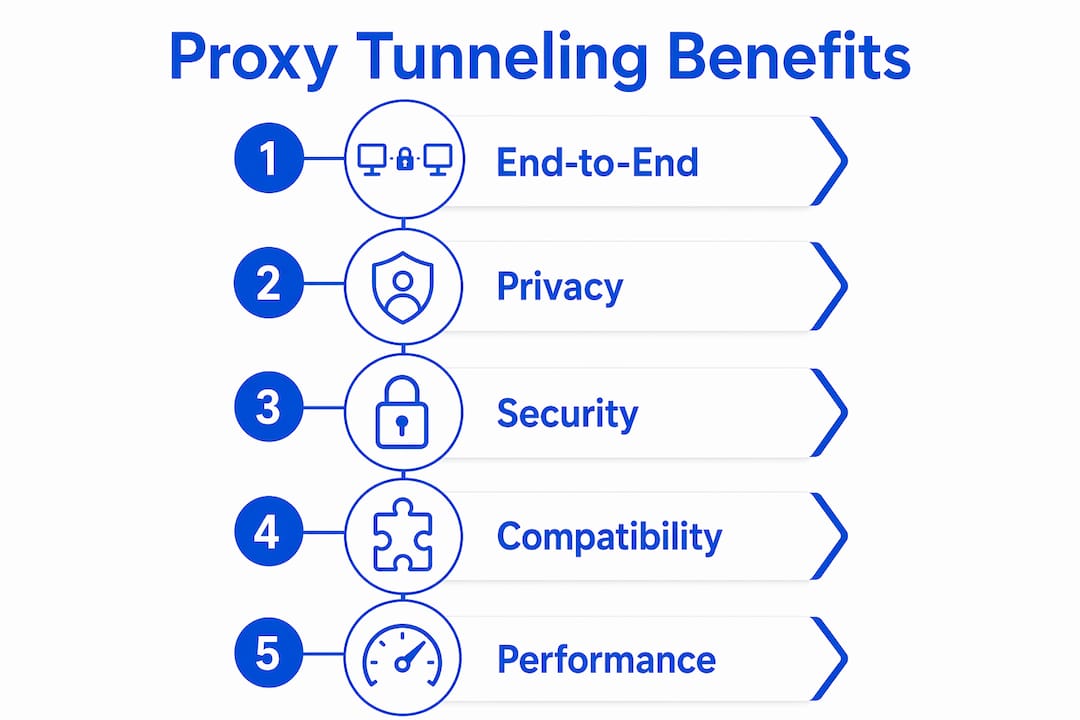
- End-to-end TLS confidentiality is preserved. The destination server’s certificate is validated by your client directly. No intermediate party holds a decryption key. This is fundamentally different from TLS termination, where the proxy decrypts and re-encrypts traffic, inserting itself into the trust chain.
- Your client IP is replaced by the proxy’s egress IP. When the destination server logs the connection, it sees the proxy as the source, not your actual IP address. This is the mechanism behind IP-based anonymity in proxy networks.
- Network filters and firewalls can be bypassed. Traffic exits the client network as a standard HTTPS connection to the proxy. Deep packet inspection at the network perimeter sees only encrypted data, not the actual destination content. This is how corporate users access geo-restricted resources or how researchers reach content blocked by regional filters.
- Security improves on untrusted networks. On public Wi-Fi, routing HTTPS traffic through a trusted proxy tunnel prevents local network attackers from performing man-in-the-middle attacks against your sessions. The TLS layer protects the payload; the tunnel protects the routing.
- No payload modification is possible. Because the proxy forwards raw bytes, it cannot inject ads, strip headers, or alter responses. This matters for QA teams running web testing scenarios where response integrity is critical.
Pro Tip: When evaluating an HTTPS proxy for privacy use, ask specifically whether it performs TLS termination or pure tunneling. A proxy that terminates TLS can read your traffic even if the connection appears encrypted from the outside.
The contrast with TLS interception is worth stating plainly. True proxy tunneling preserves end-to-end TLS confidentiality, while TLS termination breaks that chain entirely. Enterprise security tools like Zscaler and Cisco Umbrella use TLS termination by design for content inspection. Proxy tunneling is the opposite architecture, chosen when confidentiality matters more than inspection.
How does proxy tunneling compare to VPNs, SOCKS proxies, and reverse proxies?
These four technologies are frequently confused because they all route traffic through an intermediary. The differences are architectural and determine which tool fits which job.
| Technology | Layer | Inspects payload? | Use case |
|---|---|---|---|
| HTTP proxy tunneling (CONNECT) | Application (HTTP) | No | HTTPS access through corporate or residential proxies |
| SOCKS proxy | Transport (TCP/UDP) | No | Protocol-agnostic tunneling; supports non-HTTP traffic |
| VPN | Network (IP) | No | Full device traffic routing; network-layer anonymity |
| TLS terminating proxy | Application (HTTP) | Yes | Content inspection, caching, ad filtering |
| Tunneled reverse proxy | Application (HTTP) | Optional | Internal service exposure through encrypted outbound tunnels |
HTTP proxy tunneling operates at the application layer and is specific to HTTP/HTTPS traffic. A SOCKS proxy works at the transport layer and handles any TCP or UDP stream, making it more flexible but also less common in browser and HTTP client configurations. VPNs tunnel all IP traffic from the device, not just HTTP, which makes them broader but also heavier in terms of system integration.
Tunneled reverse proxies serve a different purpose entirely. They allow internal services to be reached through encrypted outbound tunnels, reducing direct inbound exposure. This is an enterprise pattern for keeping backend services behind firewalls while still allowing controlled external access. It shares the word “tunneling” with CONNECT-based proxy tunneling but solves a different problem.
The practical rule: use HTTP CONNECT tunneling when you need HTTPS access through a specific proxy endpoint with IP substitution. Use SOCKS when you need protocol flexibility. Use a VPN when you need full device-level routing. Use a reverse proxy tunnel when you need to expose internal services securely.
What practical limitations and security considerations should you know?
Proxy tunneling is not universally supported, and the operational gaps matter more than most documentation acknowledges.
- CONNECT method restrictions. Many enterprise proxies enforce hostname and port allowlists for CONNECT tunnels. If your target hostname or port is not on the allowlist, the proxy returns a 403 or 405 and the tunnel never opens. This is a policy decision, not a bug, but it causes tunnel failures that look like network errors.
- Proxy authentication complexity. Proxy authentication must be handled during the CONNECT handshake itself. Client stacks that do not reapply Proxy-Authorization headers on redirects will fail intermittently, often in ways that are hard to reproduce. This is a known issue in several HTTP client libraries.
- Metadata is still visible. Even though the proxy cannot read your payload, it can log connection metadata including destination hostnames, connection timing, and data volumes. Anyone with access to proxy logs knows which servers you connected to and when. Payload privacy does not equal full anonymity.
- Trust in the proxy endpoint is non-negotiable. The proxy operator controls the egress IP, the connection logs, and the DNS resolution for your CONNECT requests. A malicious or compromised proxy can redirect your tunnel to a different server before TLS begins. Choosing a trustworthy proxy provider is not optional.
Pro Tip: When troubleshooting a failed CONNECT tunnel, capture the raw HTTP response from the proxy before the TLS handshake. A 407 means authentication is missing. A 403 means the destination is blocked by policy. A 200 followed by a TLS error means the proxy is performing TLS interception, not tunneling.
For IT teams managing proxy infrastructure, governance matters as much as configuration. Proxy tunneling preserves encryption by design, but proxies can still enforce route policies and log connection metadata. Monitoring those logs and auditing proxy policies regularly is the operational counterpart to the technical setup. You can read more about how proxies handle HTTPS traffic in depth in this developer-focused breakdown.
Key takeaways
Proxy tunneling preserves end-to-end TLS encryption by forwarding encrypted bytes through a proxy without decryption, but metadata visibility and proxy trust remain critical operational factors.
| Point | Details |
|---|---|
| Core mechanism | HTTP CONNECT creates a TCP tunnel; proxy forwards bytes without reading payload. |
| Encryption preservation | TLS handshake happens directly between client and server, not through the proxy. |
| IP substitution | Destination sees the proxy’s egress IP, not the client’s real IP address. |
| Metadata exposure | Proxy logs destination hostnames and timing even when payload is encrypted. |
| Operational limits | Not all proxies support CONNECT; port restrictions and auth handling require careful configuration. |
Why proxy tunneling is misunderstood more often than it should be
I have reviewed dozens of proxy configurations where the team believed they had full privacy because traffic was “going through a proxy.” In most of those cases, the proxy was performing TLS termination, not tunneling. The connection looked encrypted from the outside, but the proxy was reading every byte. That distinction matters enormously in regulated industries and in any context where data confidentiality is a legal requirement.
The other misconception I see repeatedly is treating metadata invisibility as equivalent to payload privacy. Tunneling hides what you send. It does not hide where you send it. A proxy operator who logs every CONNECT request has a complete map of your browsing destinations, even without reading a single byte of content. For most use cases, that tradeoff is acceptable. For high-sensitivity operations, it is not.
My practical recommendation: always verify whether your proxy provider performs pure tunneling or TLS termination before routing sensitive traffic. Ask for documentation. Test with a self-signed certificate on a controlled server and check whether the proxy presents its own certificate instead of yours. If it does, you are looking at TLS interception, not tunneling. The HTTP proxy protocol documentation from Hydraproxy covers this distinction clearly and is worth reviewing before any production deployment.
The future of proxy tunneling is tied directly to the adoption of HTTP/3 and QUIC. CONNECT-based tunneling is a TCP construct. QUIC runs over UDP, and the CONNECT-UDP extension for HTTP/3 is still maturing in terms of proxy support. Teams building long-term proxy infrastructure should track that development closely.
— Eduard
Secure proxy tunneling with Hydraproxy
Hydraproxy’s residential and mobile proxy networks are built for encrypted HTTPS traffic, supporting CONNECT-based tunneling across a broad pool of residential, ISP, and 4G/5G mobile IPs. Every connection routes through real user-assigned IP addresses, so the destination server sees legitimate residential or mobile traffic rather than datacenter signatures. Hydraproxy supports rotating and sticky session modes, multiple authentication methods, and granular geo-targeting, giving IT teams and individual users precise control over their proxy tunneling setup. If you need reliable egress IPs for secure web access, data collection, or ad verification, residential proxies from Hydraproxy are the starting point worth evaluating.
FAQ
What is the proxy tunneling definition in simple terms?
Proxy tunneling is when an HTTP proxy uses the CONNECT method to open a TCP tunnel between a client and a destination server, forwarding encrypted traffic without reading it. The proxy acts as a relay, not an inspector.
How does proxy tunneling work differently from a standard HTTP proxy?
A standard HTTP proxy reads and forwards individual HTTP requests, giving it full visibility into your traffic. Proxy tunneling hands off a raw TCP connection after the CONNECT handshake, so the proxy only sees encrypted bytes from that point forward.
Is proxy tunneling safe?
Proxy tunneling preserves end-to-end TLS encryption, but metadata remains visible to the proxy operator, including destination hostnames and connection timing. Safety depends on trusting the proxy provider and verifying that TLS termination is not occurring.
What are the main types of proxy tunneling?
The two primary types are HTTP CONNECT tunneling, which is application-layer and HTTPS-specific, and SOCKS proxy tunneling, which operates at the transport layer and supports any TCP or UDP protocol. VPN tunneling is a network-layer alternative that routes all device traffic rather than individual application connections.
Why does proxy tunneling sometimes fail in enterprise environments?
Enterprise proxies often restrict CONNECT to specific ports or approved hostnames, blocking tunnels to non-standard destinations. Authentication handling errors, where the client does not reapply credentials on redirects, are the other leading cause of intermittent tunnel failures.